
Team & security add-ons
Bring the whole team. Keep the whole thing locked down.
Four flat add-ons cover what a growing team's security review asks for: unlimited members with roles, SAML single sign-on with enforced login and IP allow-lists, private portals your customers must sign in to read, and a one-year audit log. Each applies to every AnnounceKit product you own, and none is billed per seat.
Never per seat · SOC 2 Type II · Trusted by 2,000+ teams
Four add-ons, one price each
Buy the one you need; Enterprise bundles all four.
Unlimited Team & RBAC
Every product includes three members. This lifts the cap and adds Administrator, Manager, Editor and Read-only roles, with two-factor status per member. $39/mo.
SSO & SAML
SAML 2.0 with Okta, Entra ID, Google Workspace and any other provider; require SSO for every member and allow-list the IPs that may open the dashboard. $99/mo.
Private & Authenticated
Gate the portal, widgets and help center behind a password or a JWT your app signs. Fails closed: if the add-on lapses, the portal locks rather than opening. $59/mo.
Audit Log
Every change with who, when, from where and to what, kept for a year, filterable by member, object and action, exportable. $29/mo.
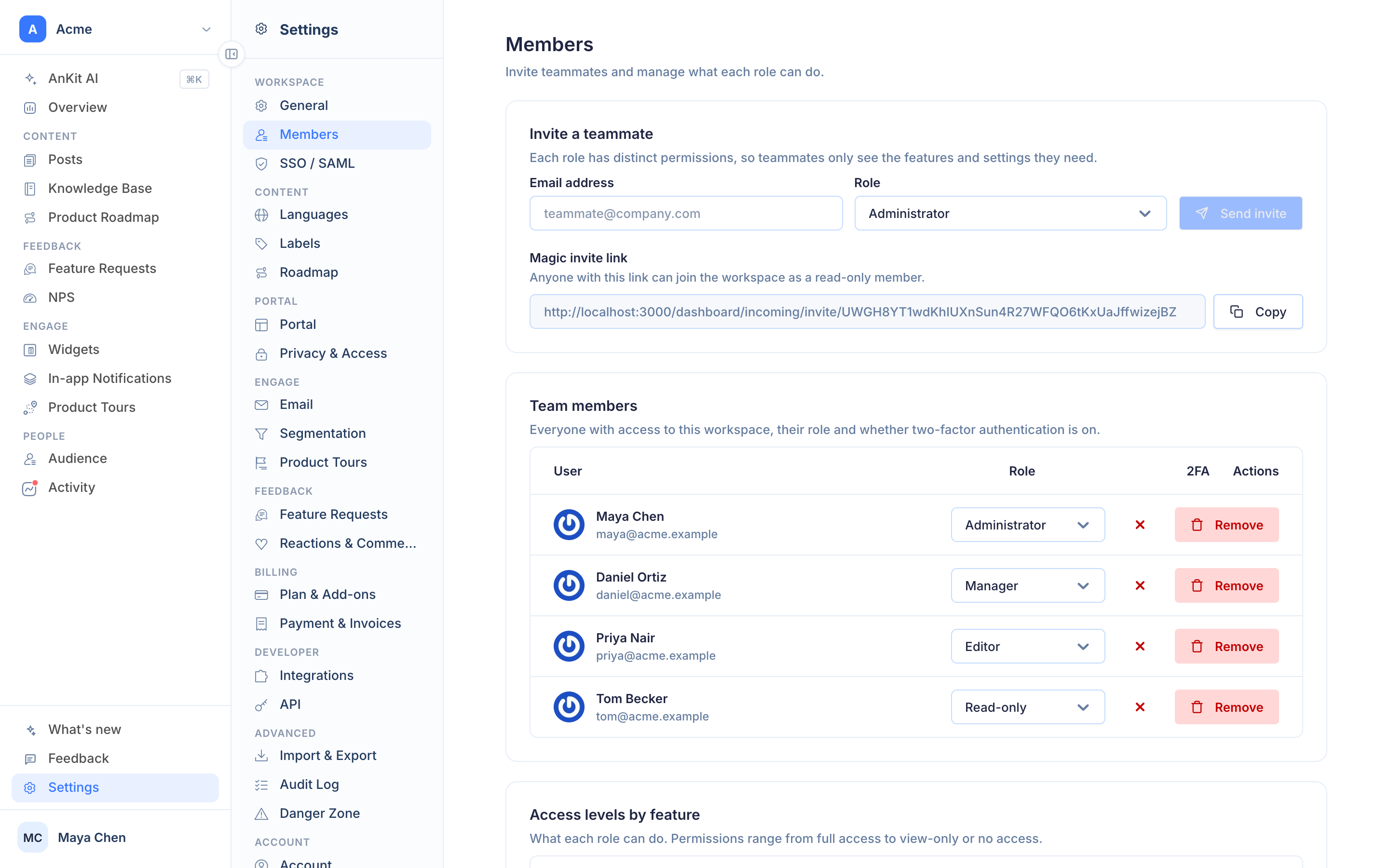
Roles
Writers write, reviewers read, admins run billing
Roles are workspace-wide and apply to every product. Editors draft and publish content; Managers also run settings, integrations and the audience; Administrators own billing and members; Read-only members see everything and change nothing. Invite by email, and see who has two-factor authentication on.
- Administrator, Manager, Editor, Read-only
- Unlimited members, never per seat
- Two-factor status per member
- Pending invitations with expiry
Sign-in, both sides
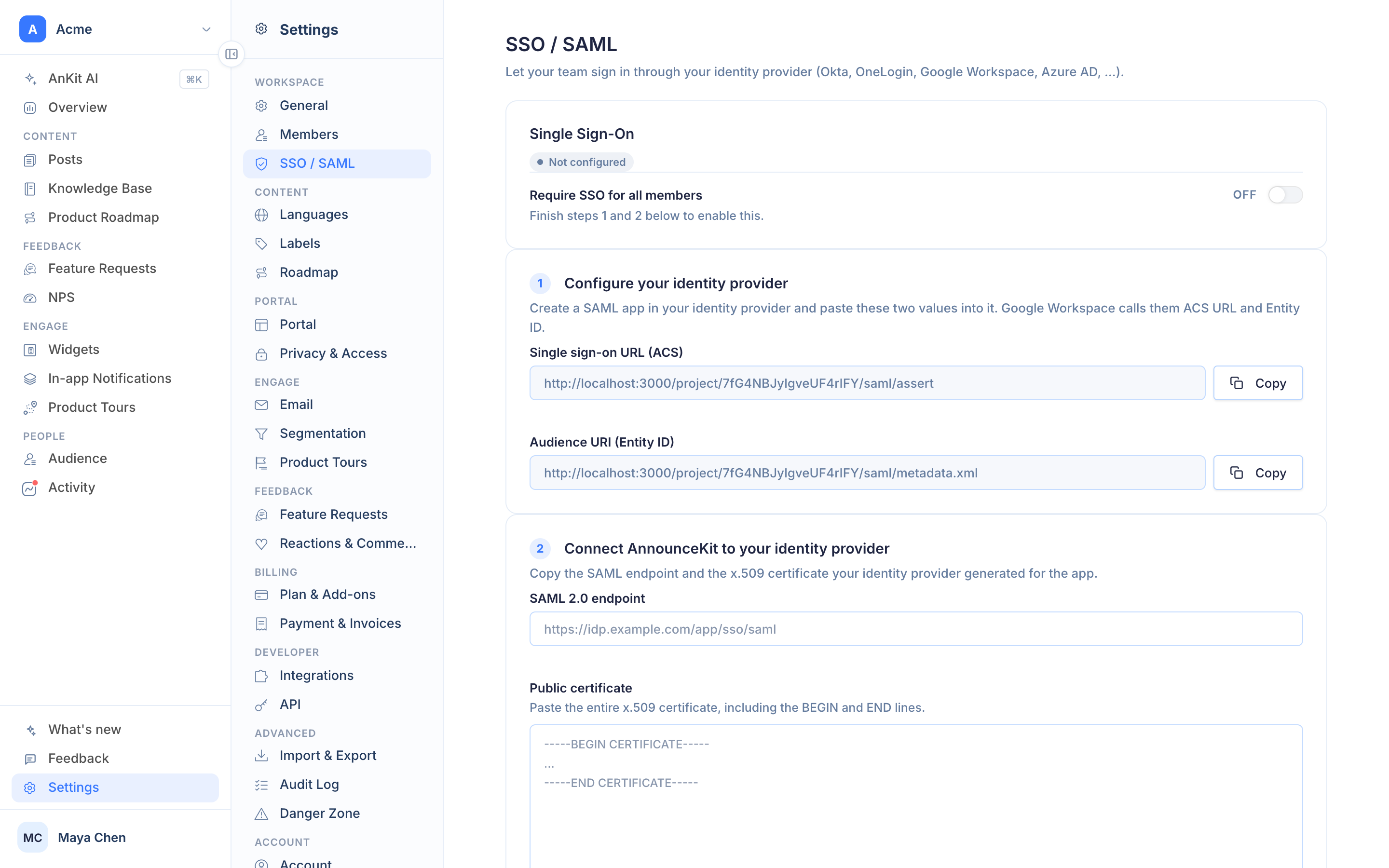
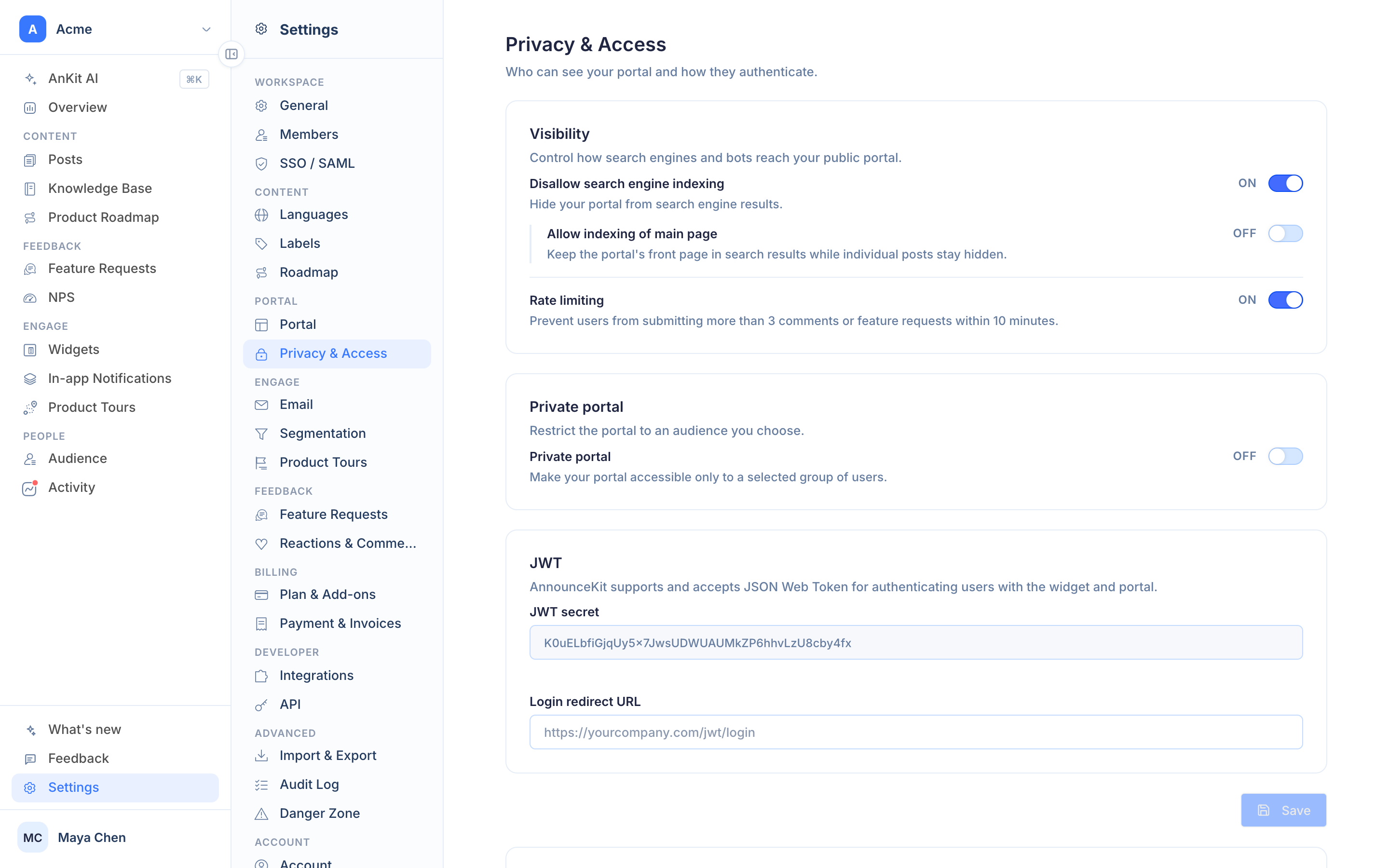
SSO for your team. Authentication for your customers.
SSO & SAML signs your team in through your identity provider and can make it mandatory, with IP allow-lists for the dashboard. Private & Authenticated does the same for readers: a password for a simple gate, or a JWT signed by your app so the portal, widgets and help center open only for logged-in customers, with signed user tracking for every read.
- SAML 2.0, SCIM-free setup in minutes
- Enforce SSO, allow-list IPs
- Password- or JWT-protected portal and help center
- Locks, never opens, when the add-on lapses
Audit Log
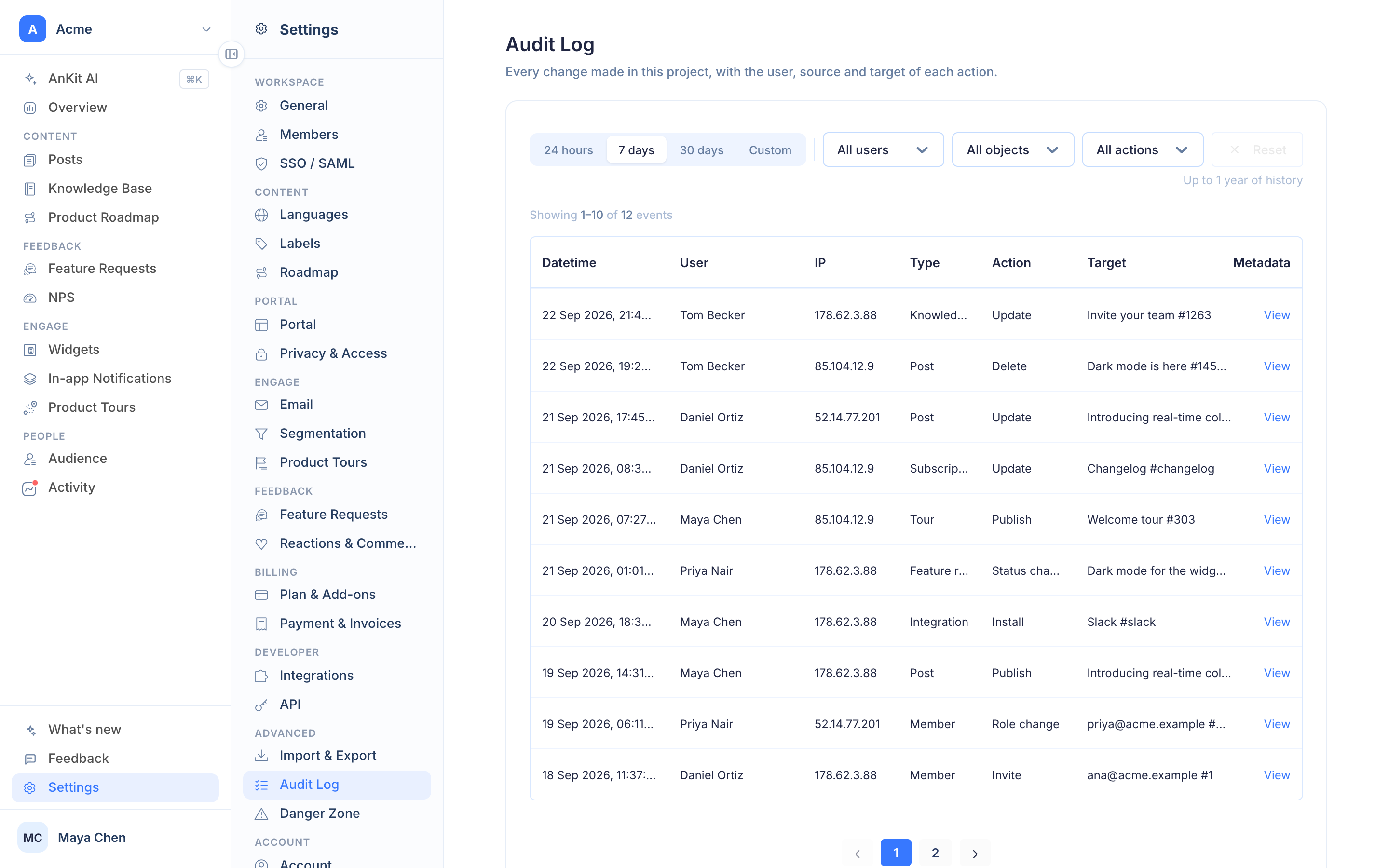
Who changed what, when, and from where
Every change in the workspace lands in the audit log with the member, the IP and source, the object and the action. Filter by member, object or action, pick a range, export it. The log records from the day your workspace starts, so adding the add-on later opens a complete history, not an empty page.
- Posts, articles, requests, settings, members, billing
- Member, IP, source, object and action on every row
- One year of history, exportable
- Complete from day one





Frequently asked questions
How many team members are included?
Three with every product. Unlimited Team & RBAC lifts the cap entirely for a flat $39 a month and adds Administrator, Manager, Editor and Read-only roles. AnnounceKit never bills per seat.
Which identity providers work with SSO?
Any SAML 2.0 provider: Okta, Microsoft Entra ID (Azure AD), Google Workspace, OneLogin, JumpCloud and others. You can require SSO for every member and restrict dashboard access to an IP allow-list.
How do I make my changelog or help center private?
Private & Authenticated gates the portal, widgets and help center behind a password or a JWT your app signs, so only your logged-in customers can read. If the add-on lapses, the portal locks rather than going public.
What does the audit log record?
Every change in the workspace - posts, articles, requests, settings, members, billing - with the member who made it, the IP and source, and the object it touched, kept for a year and filterable by member, object and action. The log records from day one; the add-on opens the page.
Do I need Enterprise for these?
No. Each is a flat add-on on any modular plan: Unlimited Team & RBAC $39, SSO & SAML $99, Private & Authenticated $59, Audit Log $29 per month. Enterprise bundles all of them with a SOC 2 report, custom agreements and invoicing.